Docs / User Guide / Chat
Chat#
Open CHAT in the header to talk with other C64 READY. users about what you are playing. It connects only when opened. Part of the User Guide.
Joining#
There is no sign-up. Pick a nickname (up to 16 characters) and you are in. The nickname is remembered in this browser, and change in the lobby picks another.
A room lives only while people are in it. It closes when everyone has left (or has been gone for a minute), after four hours without messages, or after a day at the most. Rooms are moderated: the host, the members and the C64 READY. admin can remove people. The chat is logged, so abuse and crime can be investigated (see What is shared).
Starting a room#
- Start a room about… creates a room for a loaded disk, cartridge or tape, using its release title or file name.
- CREATE starts a room with a name of your own.
Joining a room#
Every room is open to everyone. Rooms in the lobby lists them all, with how many people are in each, those about something you have loaded first. JOIN takes you in. Below the rooms, Online lists connected users' nicknames from all chatrooms, updating as people join, leave or reconnect. Disconnected users are not listed as online during the one-minute grace period.
In a room#
| Control | What it does |
|---|---|
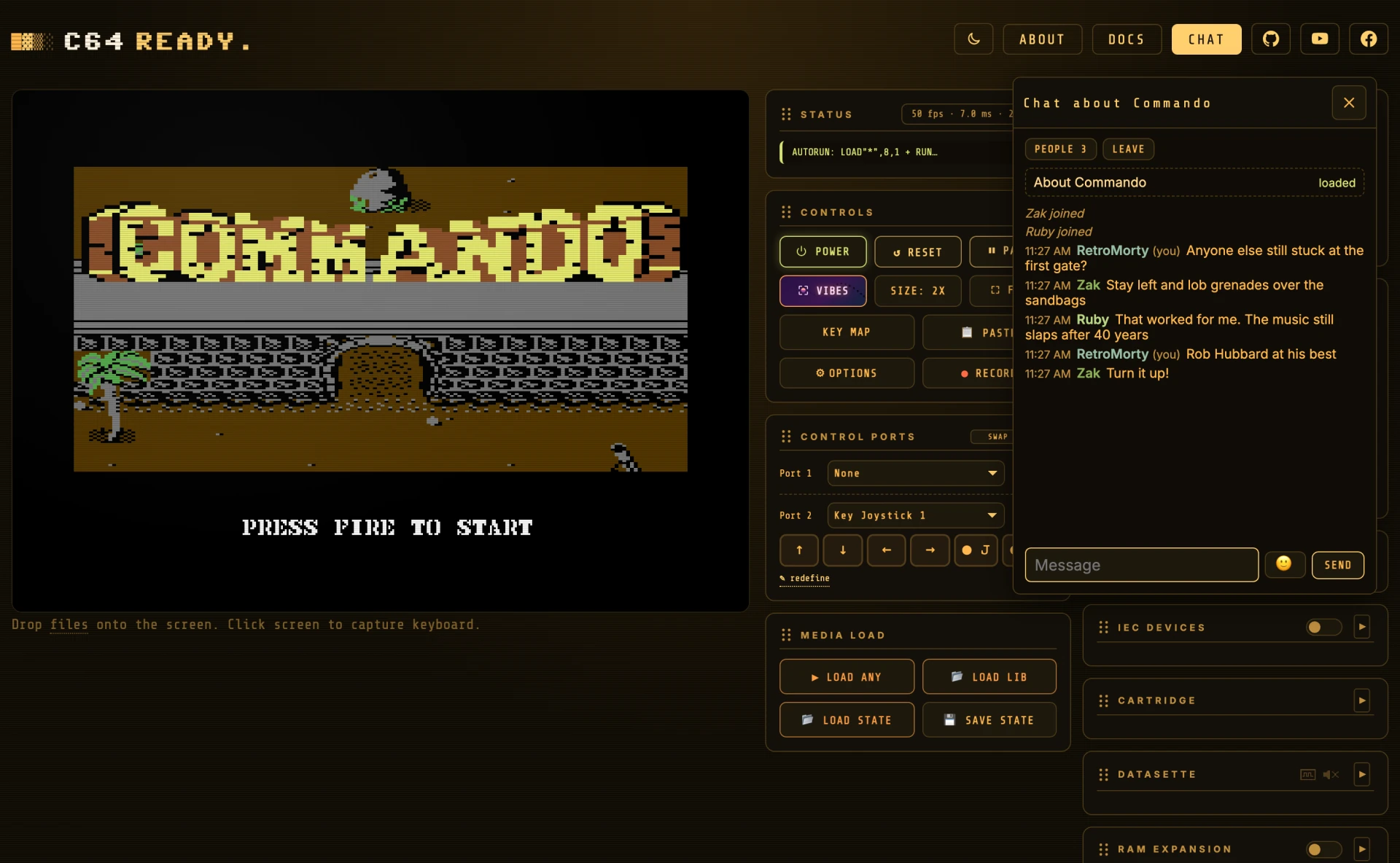
| PEOPLE | Shows who is in the room. The host is marked, and so is anyone away: their connection dropped, and the room keeps their place for a minute. |
| LEAVE | Leaves the room. Closing the window does not: you stay in the room, and the CHAT button counts new messages. |
| LOAD | When the room is about an Assembly64 release you do not have loaded, loads it, so everyone plays the same thing. |
| FIND ON ASSEMBLY64 | When the room is about something else you do not have loaded, searches the catalog for its title. |
| 🙂 (next to SEND) | Opens a choice of emojis, and puts the one you pick in your message where the cursor is. Esc or a click elsewhere closes it. |
Under PEOPLE, next to each member:
- hide hides their messages on your screen only, and show brings them back.
- vote to remove counts toward removing them. A majority of the others present removes anyone, the host included, and it always takes at least two people agreeing. Several connections from one place count as one vote.
- report sends them, with the room's recent messages, to the C64 READY. admin.
- The host also has mute (they can read but not write, even if they leave and come back) and remove (they cannot come back while the room is open).
When the host leaves, the member who has been there longest becomes the host.
On a desktop and on a phone#
On a desktop the chat floats over the app. Drag it by its title bar, resize it from its sides and bottom corners, and it opens where you left it. The machine keeps running underneath. Typing in the chat never reaches the C64, and clicking the screen gives the keyboard back to it. Esc closes the window.
On a phone the chat fills the screen, and the phone's Back button closes it. In fullscreen mode a chat button sits next to the close button.
What is shared#
Your nickname is also visible in the lobby while you are connected to a room. Your messages go to the people in your room and to the C64 READY. admin, who can see every room live. The admin's live view shows a short code made from your IP address, not the address itself.
The chat server logs every message, and every join, leave and moderation step, with your nickname and IP address. The log is kept for 90 days and then deleted. Only the admin can read it, and it is shared only when the law requires it.