Docs / User Guide / Input
Input#
Joysticks, mice, paddles and the keyboard and touch sticks on the two control ports. Part of the User Guide.
Control Ports#
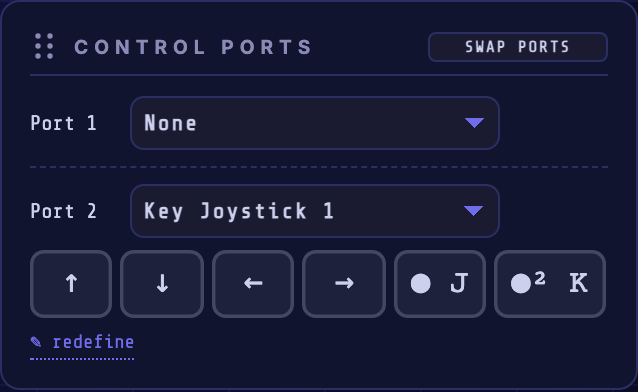
Models the C64's two control ports.
| Control | What it does |
|---|---|
| SWAP PORTS | Swaps the devices assigned to Port 1 and Port 2, the quickest fix when a game expects the joystick in the other port. |
| Port 1 / Port 2 selector | Chooses what's plugged into each port: None, Joystick (gamepad), Touch Joystick (touch devices only), Mouse (1351), Mouse (NEOS), Paddle, Key Joystick 1, or Key Joystick 2. |
Choosing Joystick (gamepad) reveals a Gamepad row to bind a detected physical gamepad to that port.
Default: Port 2 is a Key Joystick 1 (arrow keys to move, J / K to fire), so you can play straight away with no gamepad attached.
Touch Joystick#
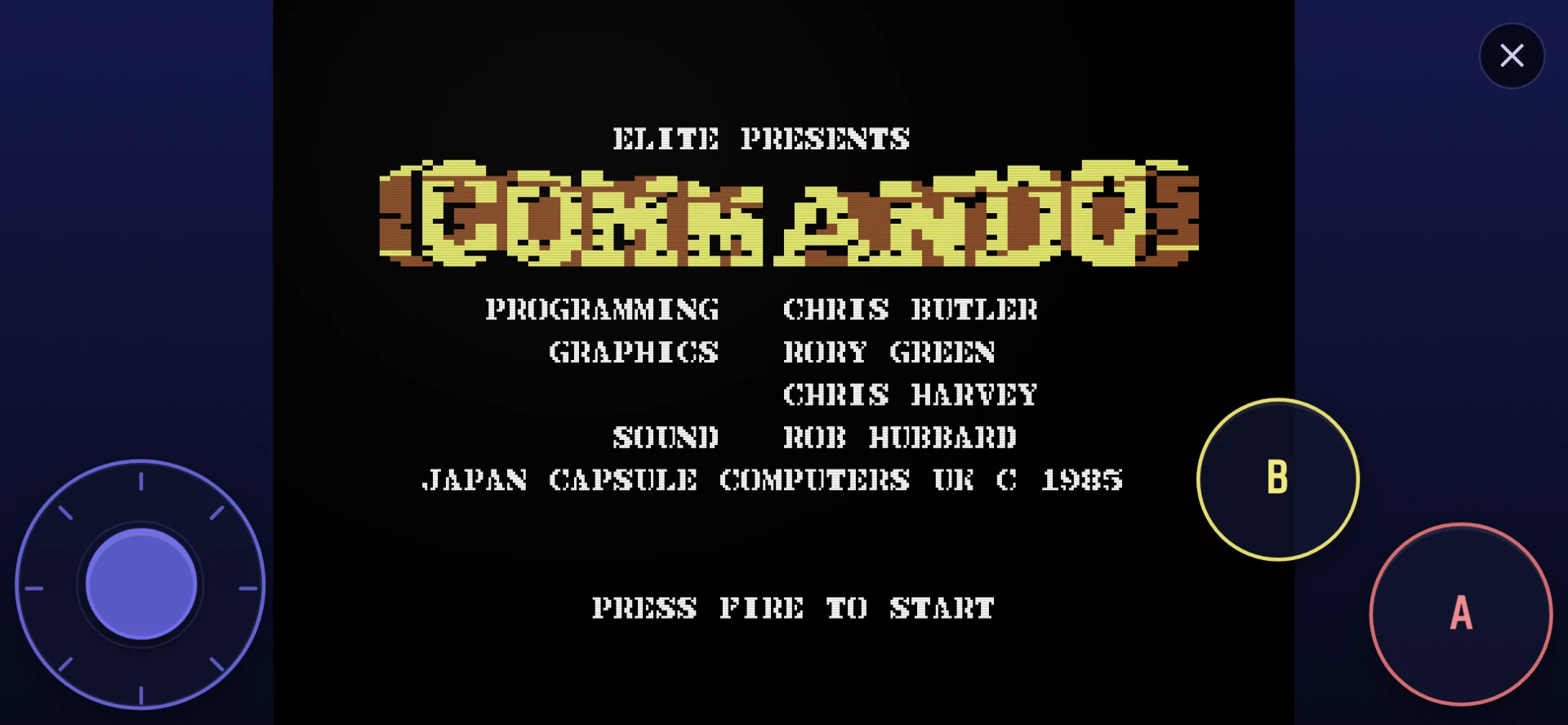
Choosing Touch Joystick (touch devices only) shows a fixed overlay above the screen and UI: an eight-way circular stick at the lower-left and B / A buttons at the lower-right. A drives FIRE; B drives the UP line used by the common C64 second-button convention. In landscape the controls move to the viewport corners, and they stay available in fullscreen:
Key Joystick#
Choosing a Key Joystick shows a row of key chips in the port row, one per direction and fire button. Each chip is tappable (and clickable): press and hold to trigger that direction or fire, so a key joystick is fully playable by touch on a keyboardless phone or tablet, and by mouse too. From the keyboard, Tab to a chip and hold Enter or Space. Its redefine link opens this dialog:
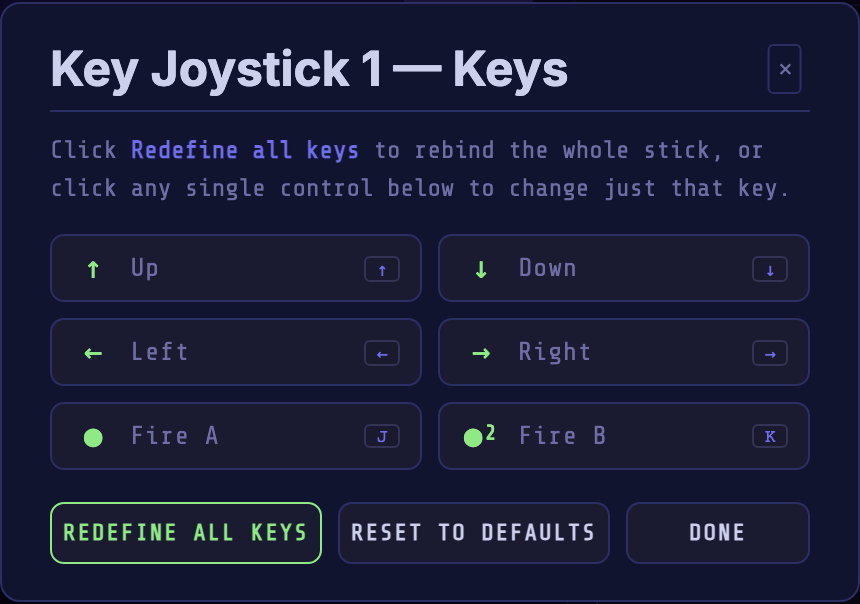
It maps six roles (up, down, left, right, fire A, fire B) to physical keys.
| Button | What it does |
|---|---|
| REDEFINE ALL KEYS | Walks through every control in turn, capturing the key you press for each. |
| RESET TO DEFAULTS | Restores the default bindings. |
| DONE | Closes the dialog. |
Click any single row to rebind just that one control. Defaults for Joy 1 are the arrow keys with J (fire A) and K (fire B); each key joystick has its own independent set.